Public sector communications
Press releases and texts for citizens, where every figure has to hold up against the organisation's own reports.
Document everything you write. Before it goes out.
AI works at lightning speed, but it can lack precision.
Desken brings drafting, source checks and human sign-off together in one seamless workflow. Get the
power of the industry's best AI models, combined with the documentation trail your professional standards demand.
2 August 2026
The EU AI Act's transparency rules apply now.
Desken automatically creates a documentation trail as you go, so you have insight into how the text came about and can account for the process. Desken doesn't make your texts compliant by itself.
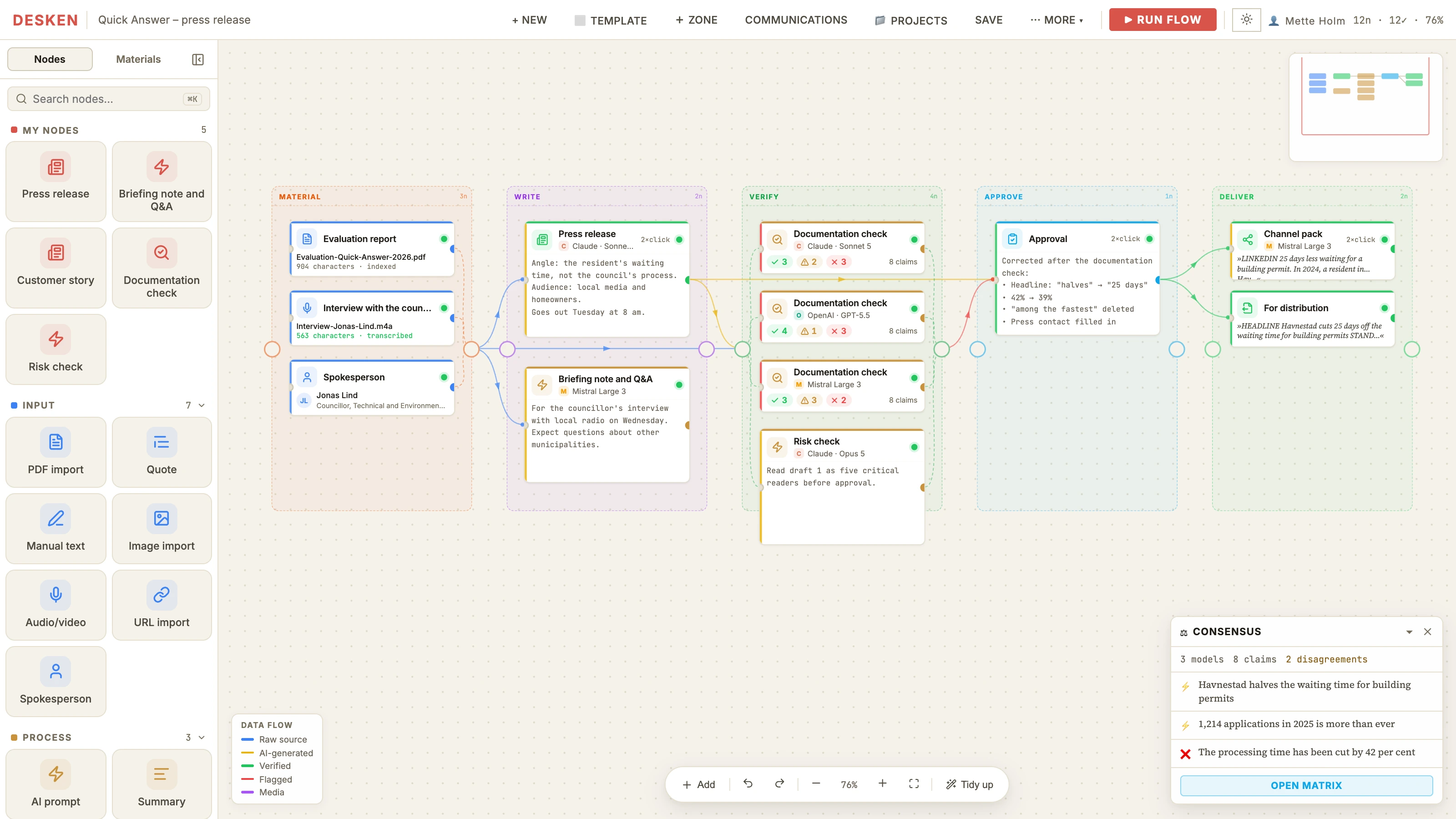
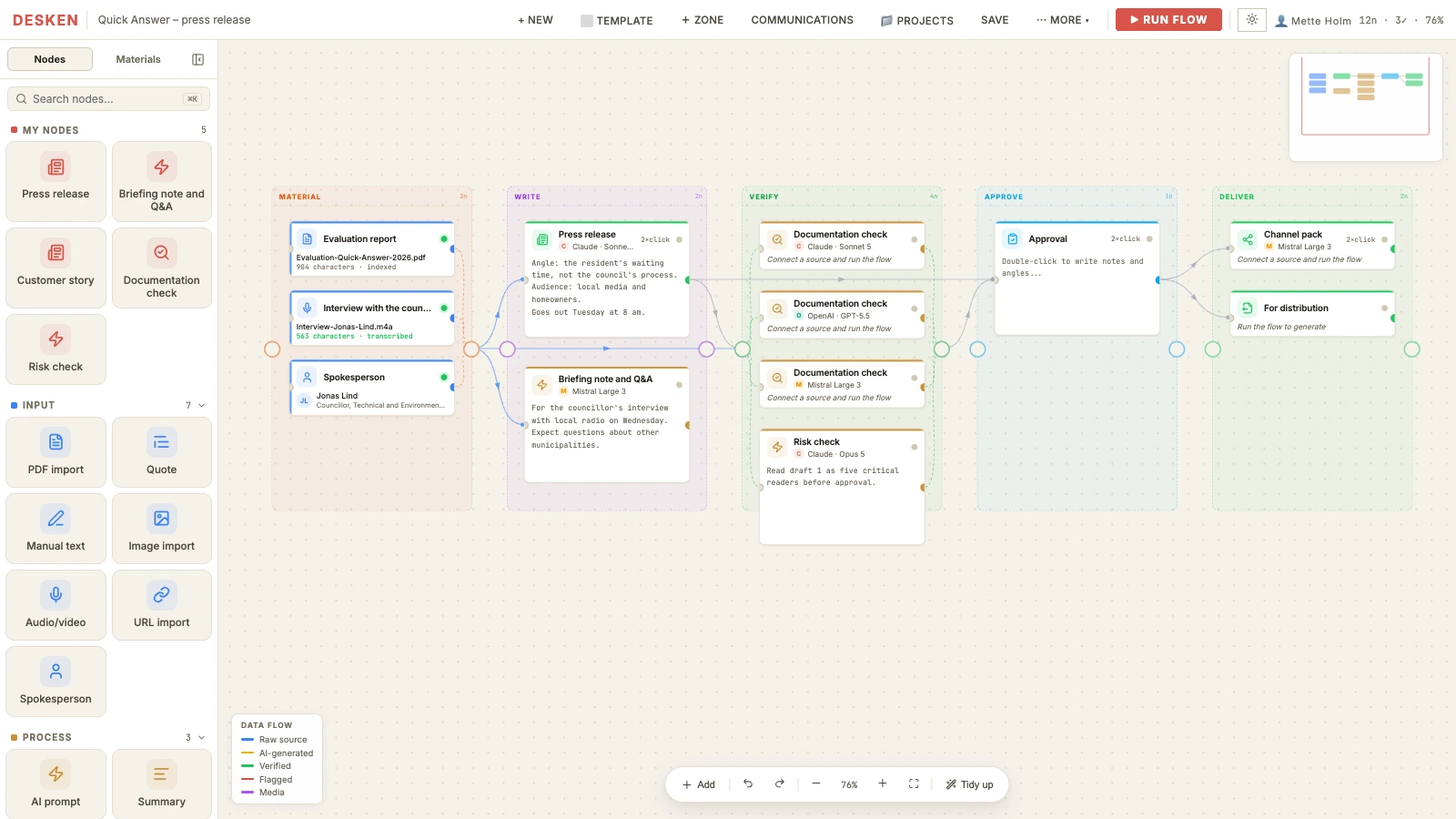
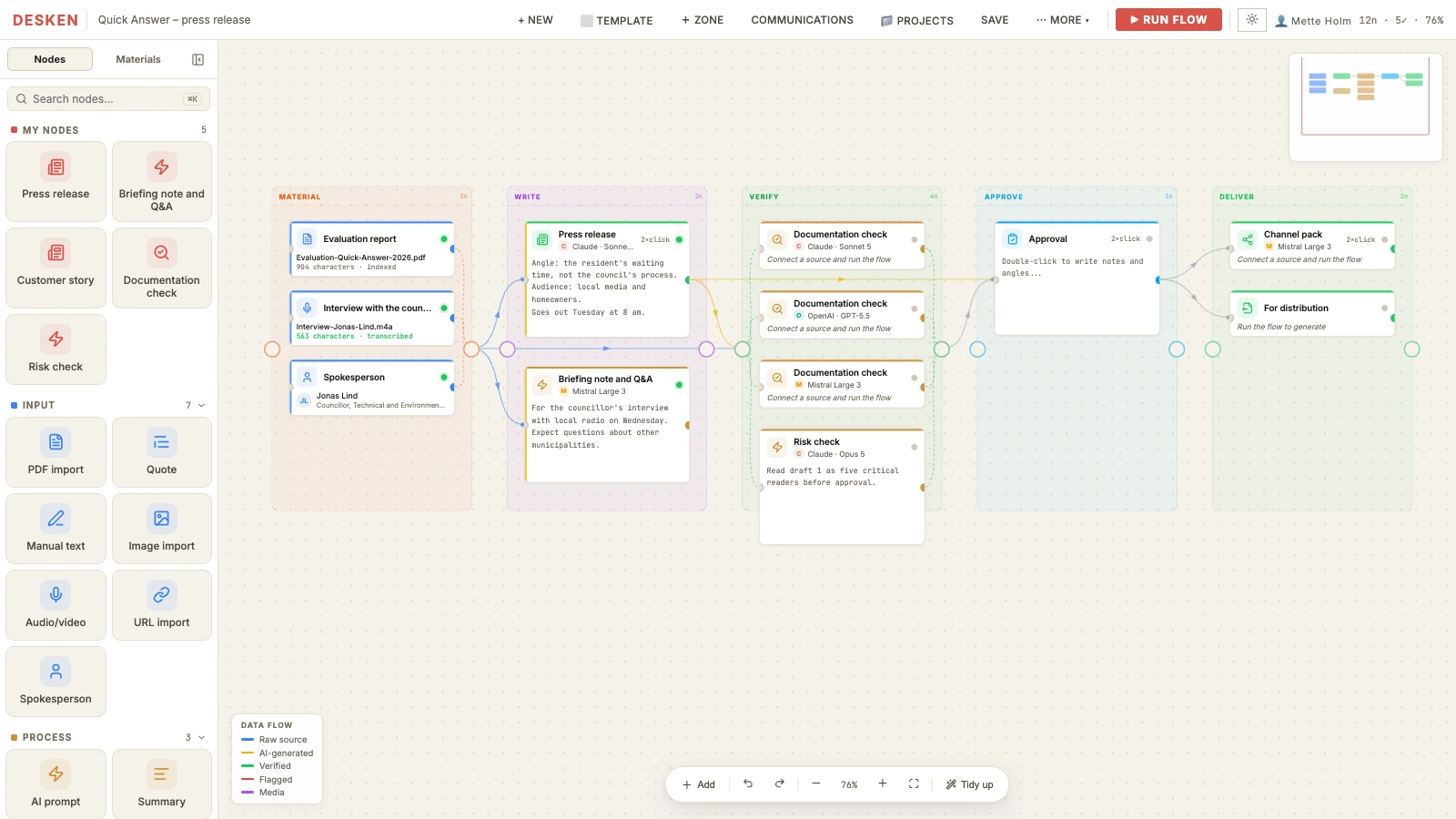
Desken is built as a professional pipeline from raw material to finished text. You build scalable workflows yourselves, with your own sources, standing rules and a strong documentation trail.
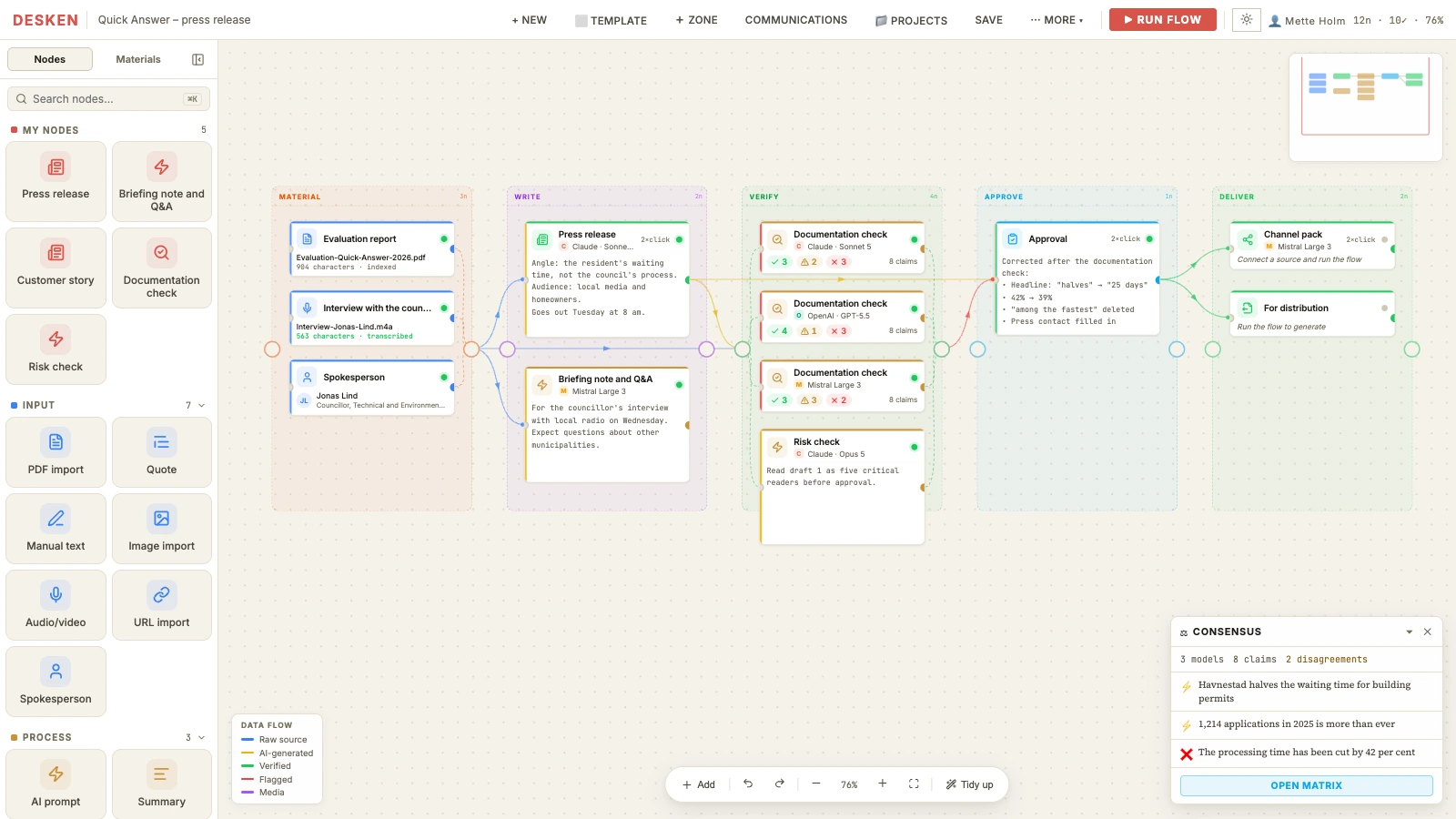
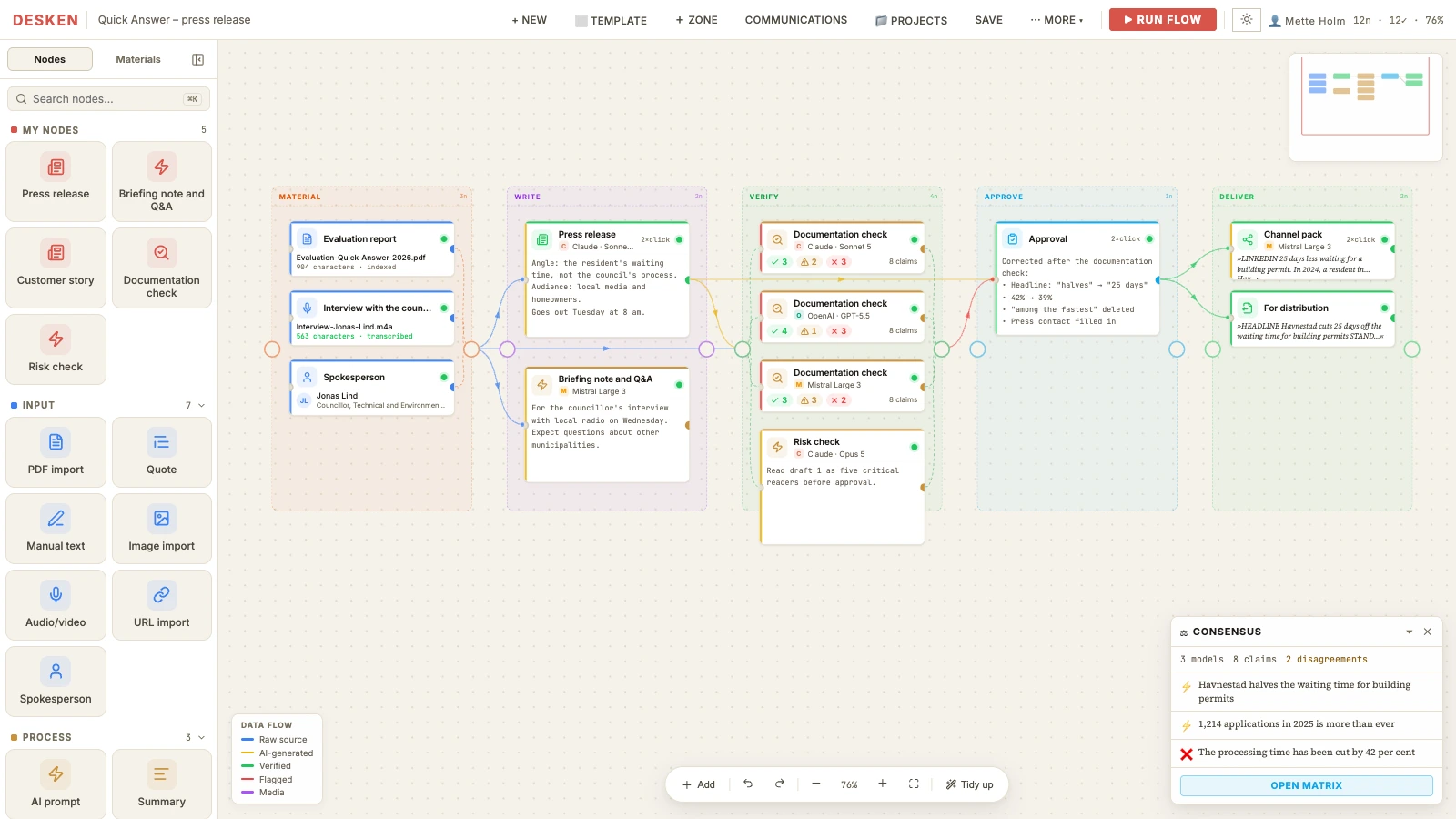
01 – Material
The foundation for your text.
Put reports, interviews and data on the canvas. The models are instructed to use only this material, so the draft builds on your own factual basis. Whether they stuck to it is exactly what Verify checks.
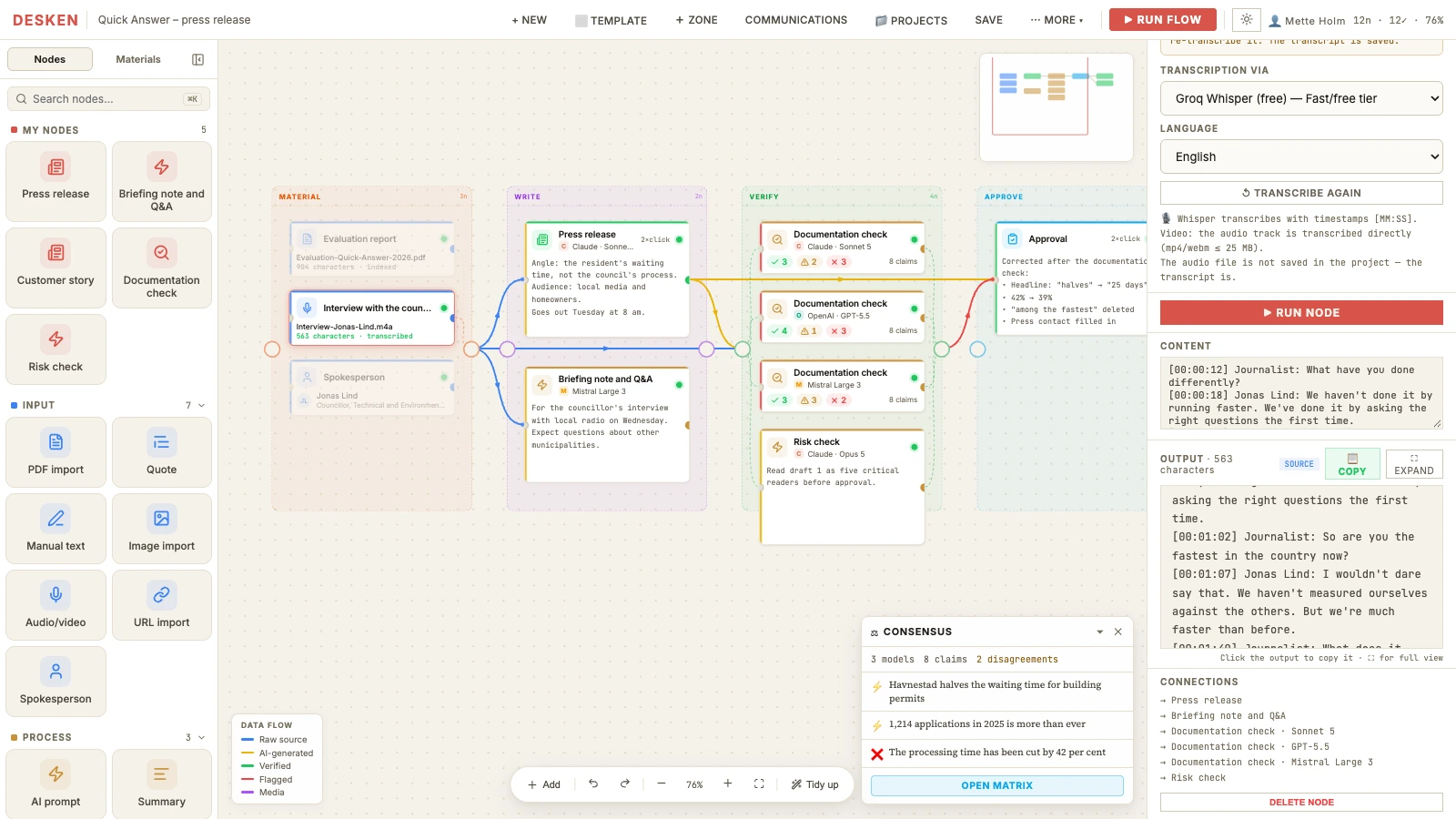
PDFs, images and web pages become nodes. Quotes carry their file and page number all the way to the finished text.
Interviews are transcribed with timestamps. If a quote ends up in the press release, you can find it in the recording. The audio is sent to OpenAI or Groq using your own key, so transcription needs one of them to be allowed and doesn't work in Offline mode. Files can be up to 25 MB.
Pull figures straight from open APIs such as Statistics Denmark and the Danish business register – or through your own access to news services like Ritzau and Infomedia.
Name, title and organisation live in a source library that follows you from project to project. Nobody has to type in the councillor's title for the third time.
02 – Write
Your rules are in place before the model writes a word.
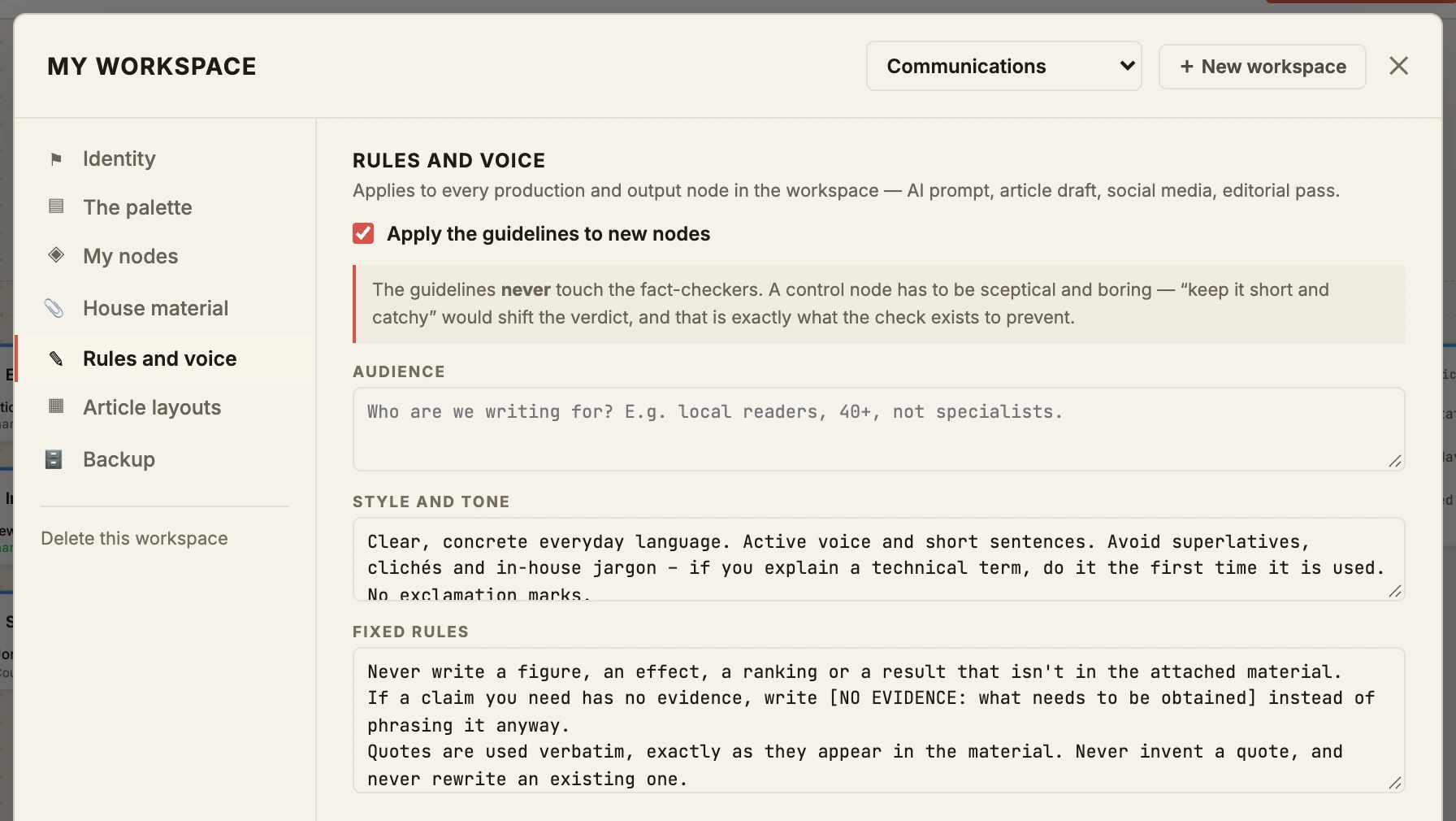
The Communications workspace contains fixed layouts and editorial rules. Fill in your boilerplate and key messages once – and they're built in automatically every time the model writes. The ready-made workspace comes in English and in Danish.
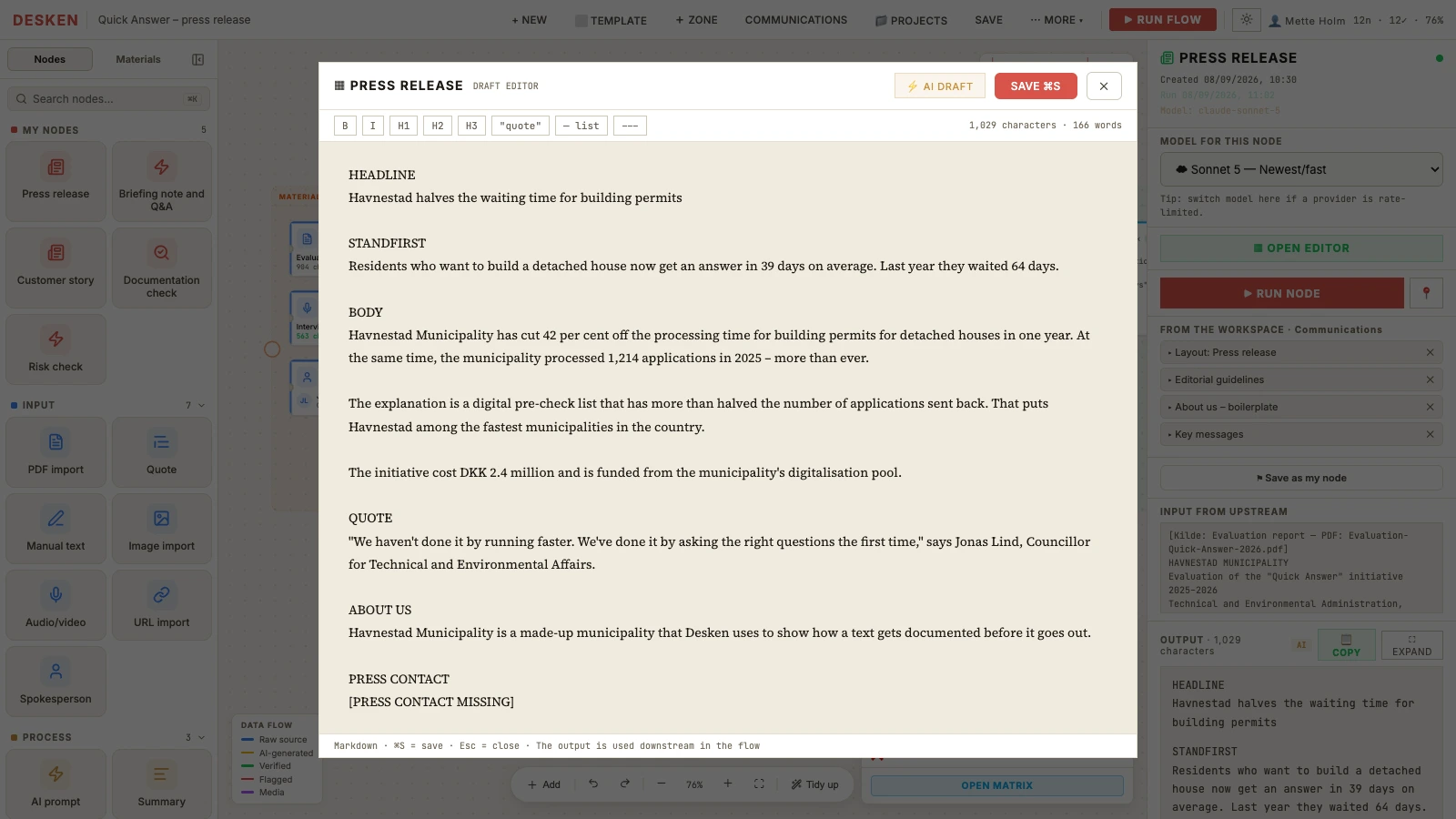
Press release, briefing note and Q&A, customer story and newsletter. Each with the structure a communications team already uses.
Boilerplate, key messages, banned words and tone of voice are built into every text as standing guidelines.
Where the material runs out, visible gaps are left: [NO EVIDENCE]. The model consistently marks where data is missing, rather than guessing.
03 – Verify
Disagreement is a signal.
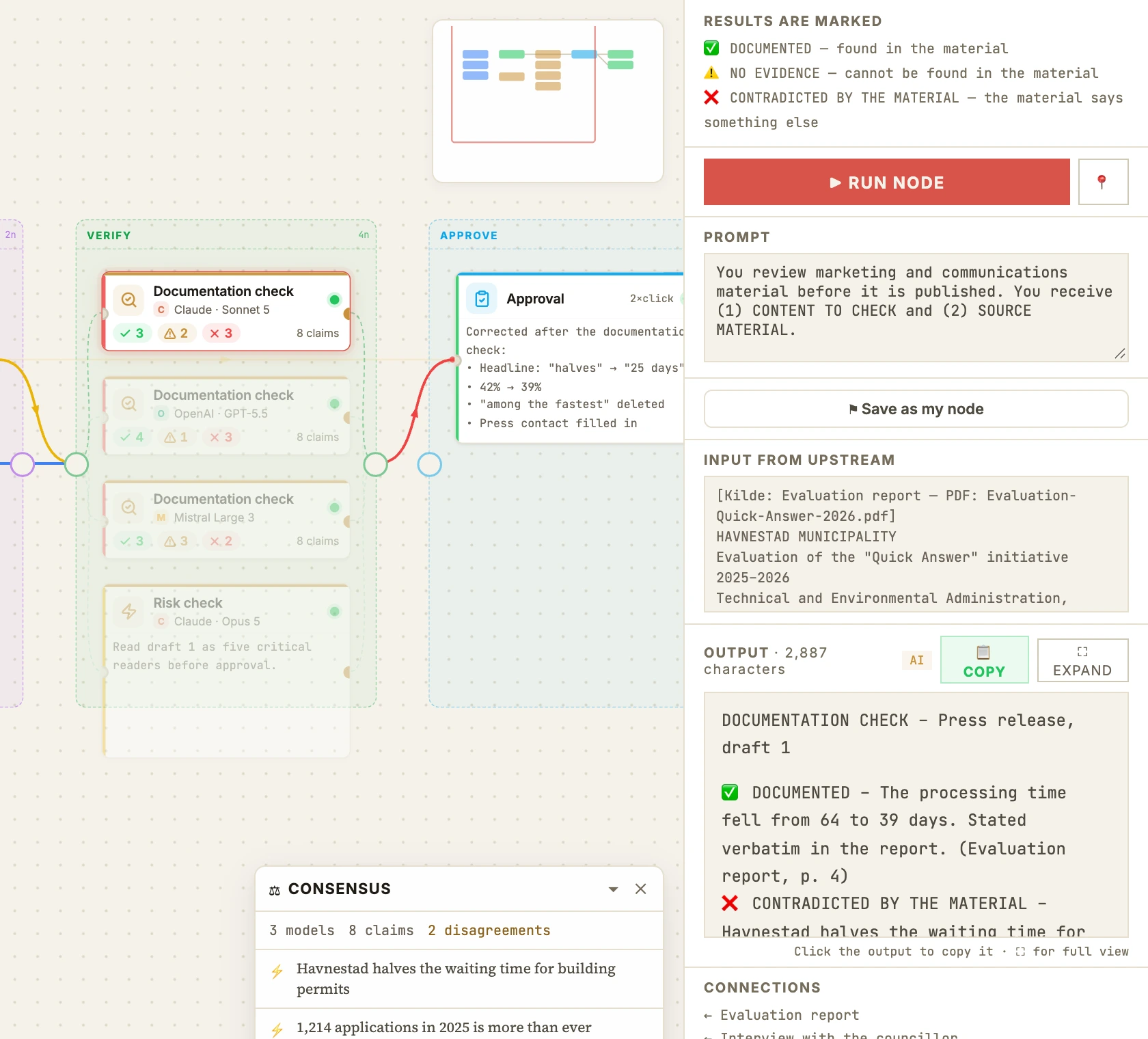
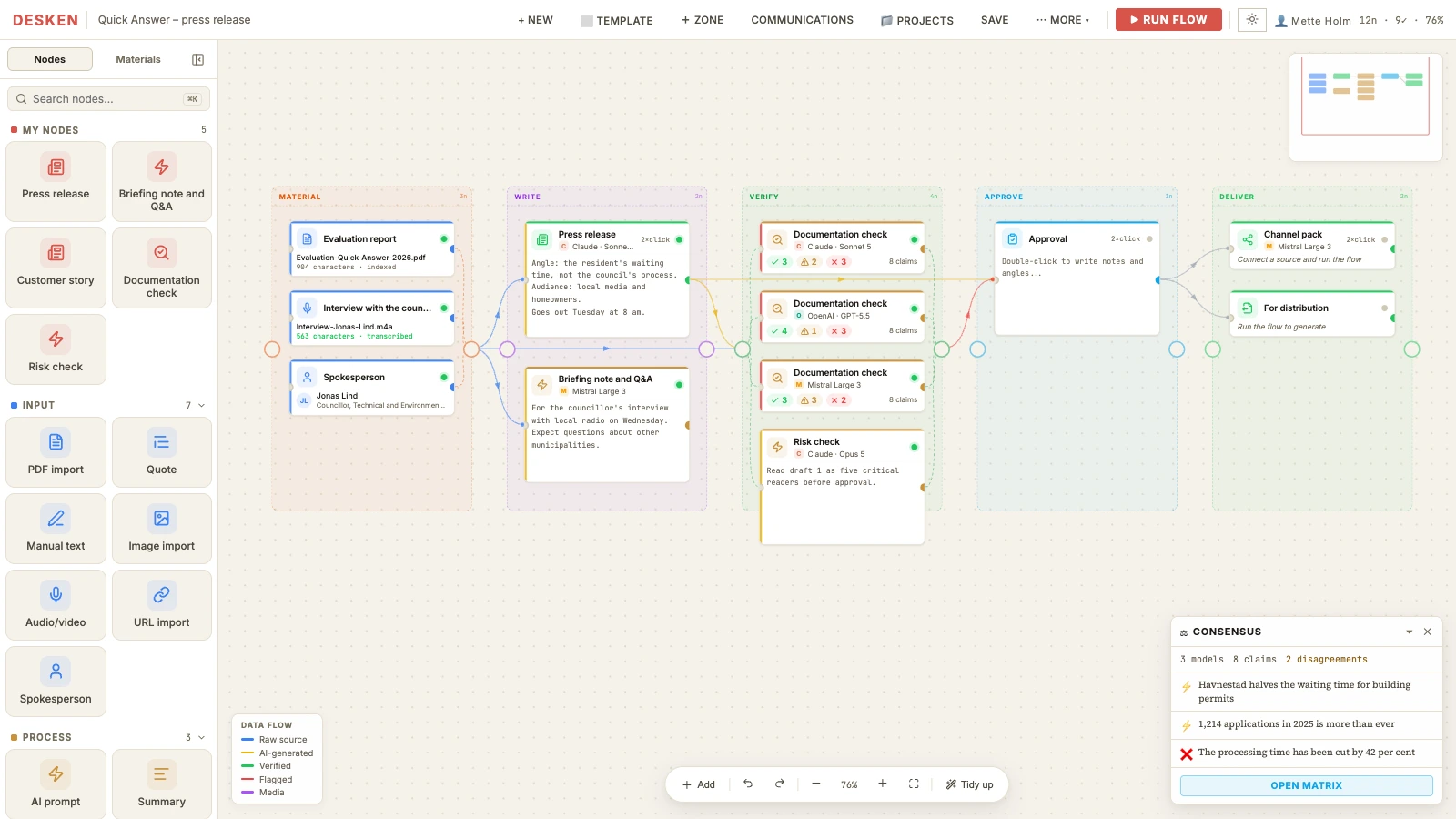
Three different top models cross-check every claim independently of each other. Discrepancies are highlighted visually, so you can focus exactly where the models' assessments differ.
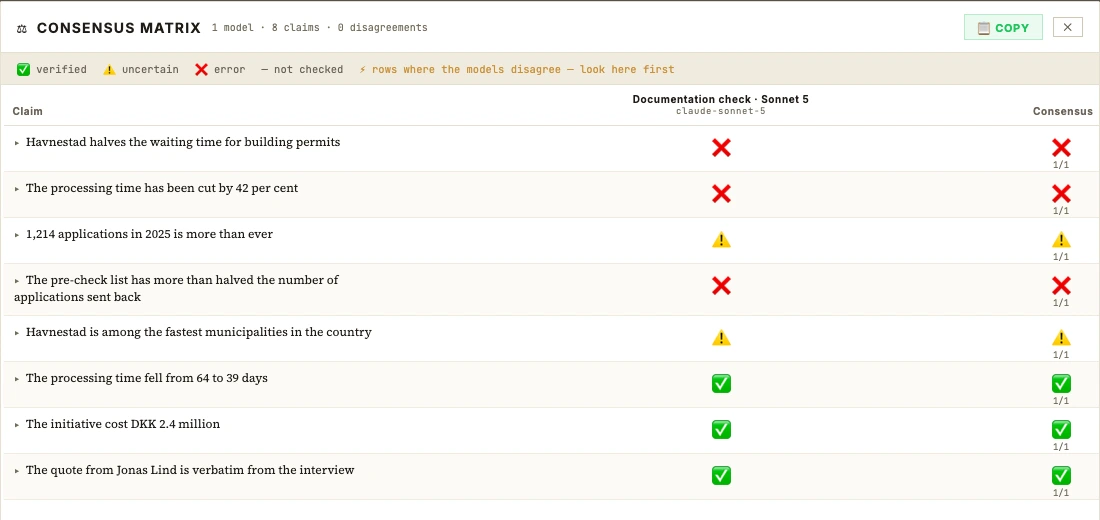
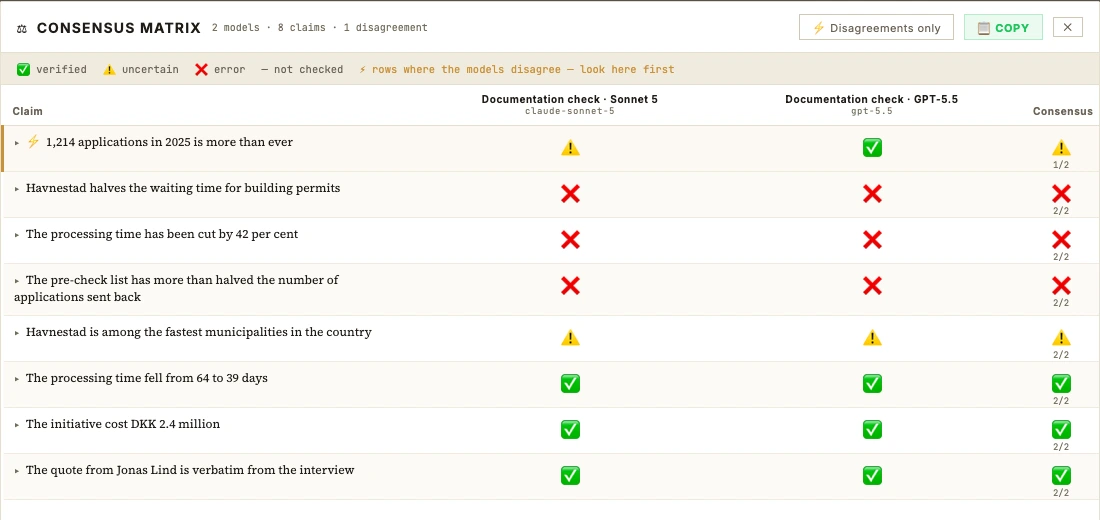
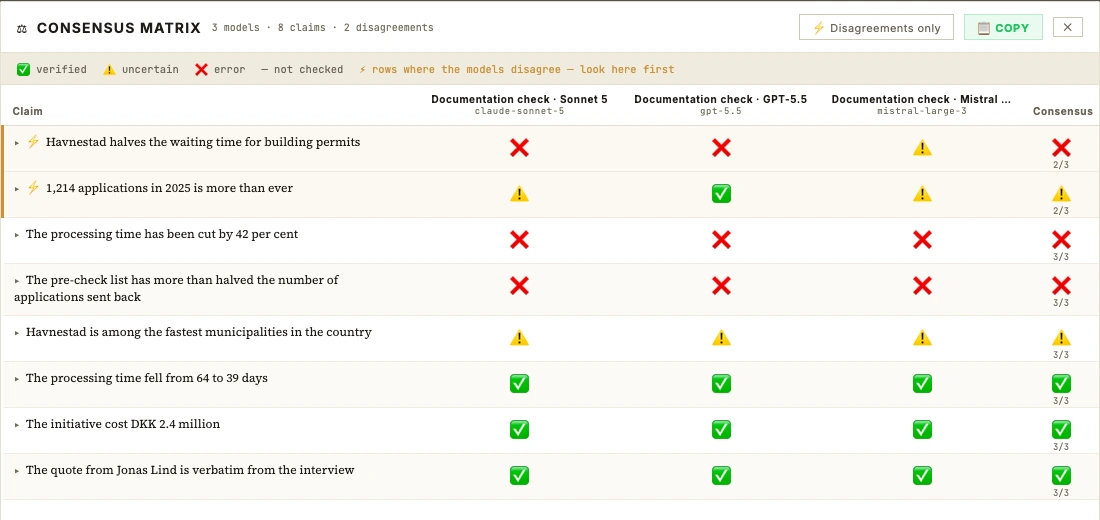
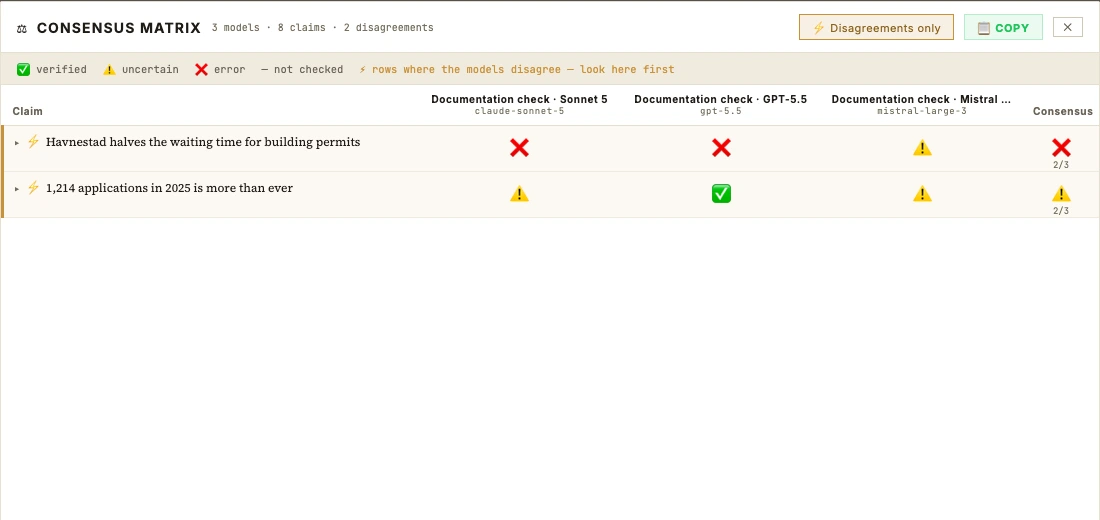
From the example · press release, draft 1
Havnestad halves the waiting time for building permits
Havnestad cuts 25 days off the waiting time for building permits
Five places in one press release where the text went beyond reality. The system catches the imprecise interpretations.
halves the waiting timeFrom 64 to 39 days is a drop of 39 per cent. Not 50. Report, p. 4
cut 42 per cent offThe report says 39 per cent. p. 4
more than halved the number of applications sent backFrom 31 to 18 per cent is a drop of 42 per cent. p. 7
among the fastest municipalities in the countryThe evaluation doesn't compare with other municipalities – and the councillor himself says he wouldn't dare claim it. p. 9 · interview 01:07
more than everTwo models: no evidence. One: documented. The person signing off rejected that verdict. p. 5
Every claim is marked documented, no evidence or contradicted by the material – with a reference to where it says so.
Check with Claude, GPT, Mistral or a local model – side by side. You make the final decision, weighing up the models' assessments.
Claims can also be checked against the web: one search per claim and a verbatim quote from the source.
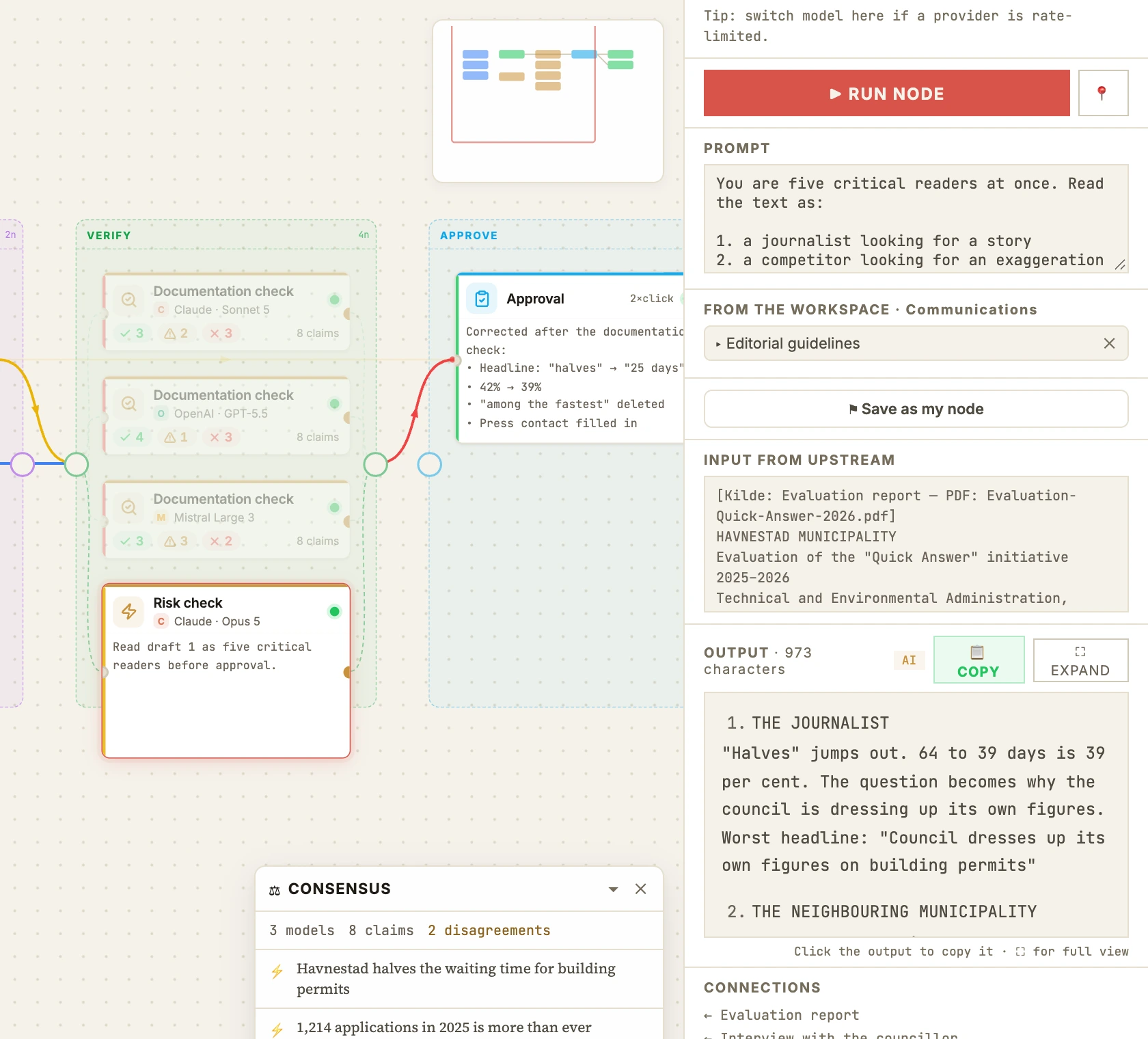
Five critical readers at once: the journalist, the competitor, the expert, the citizen and the employee. What's the worst headline this text could turn into?
04 – Approve
A person signs off on the result, with a name and an exact timestamp.
The sign-off acts as a fixed checkpoint. Every finding from every check is gathered in one place, so you can deal with every point before the text moves on.
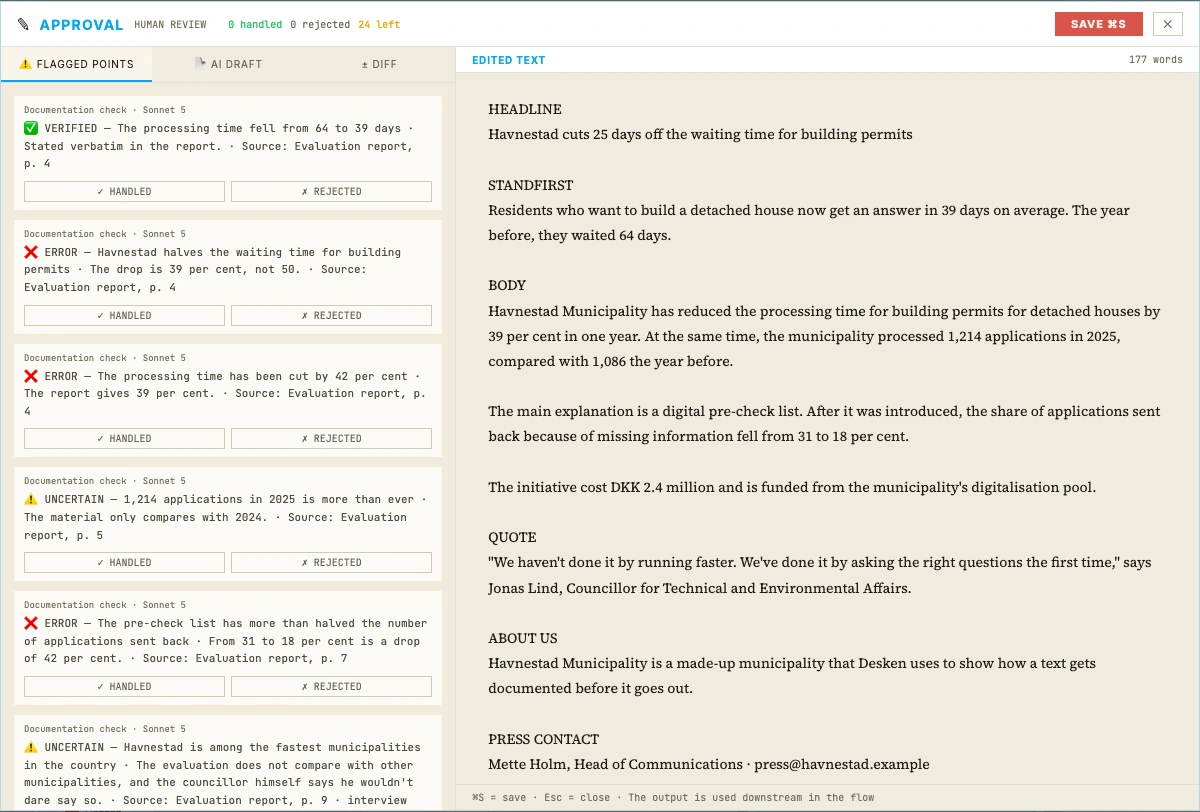
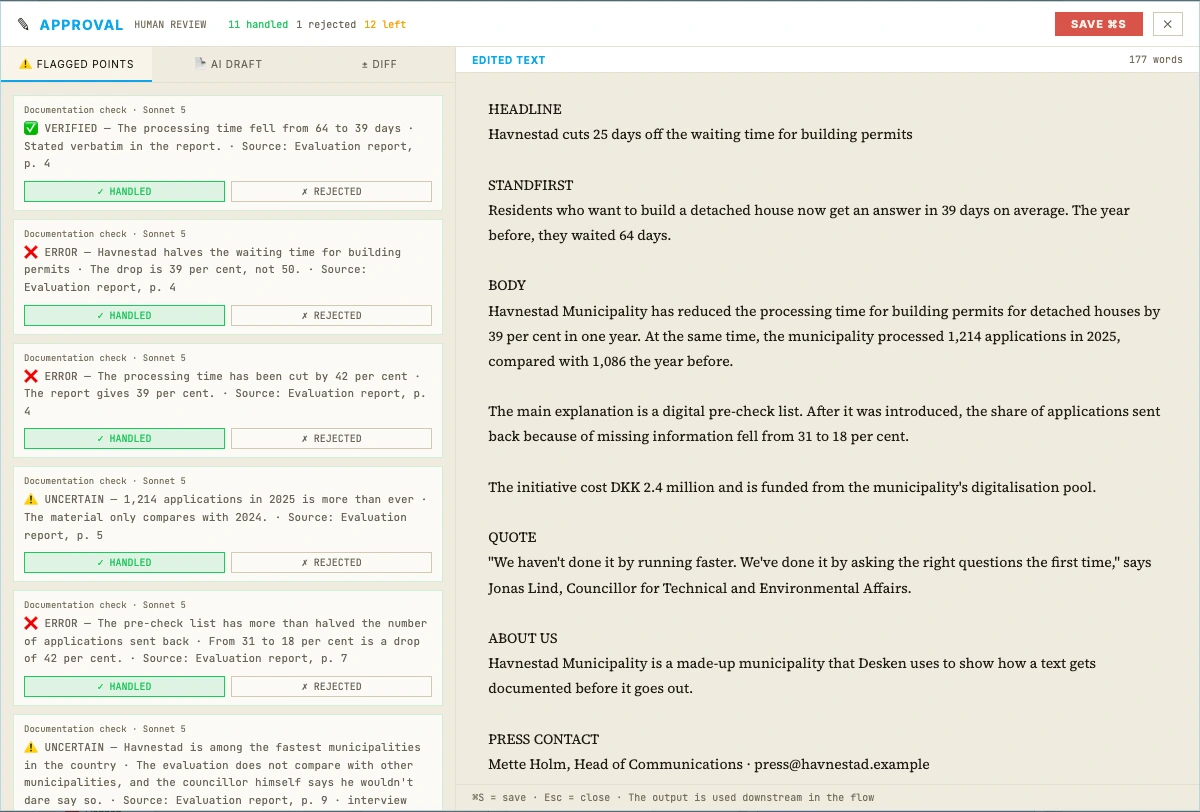
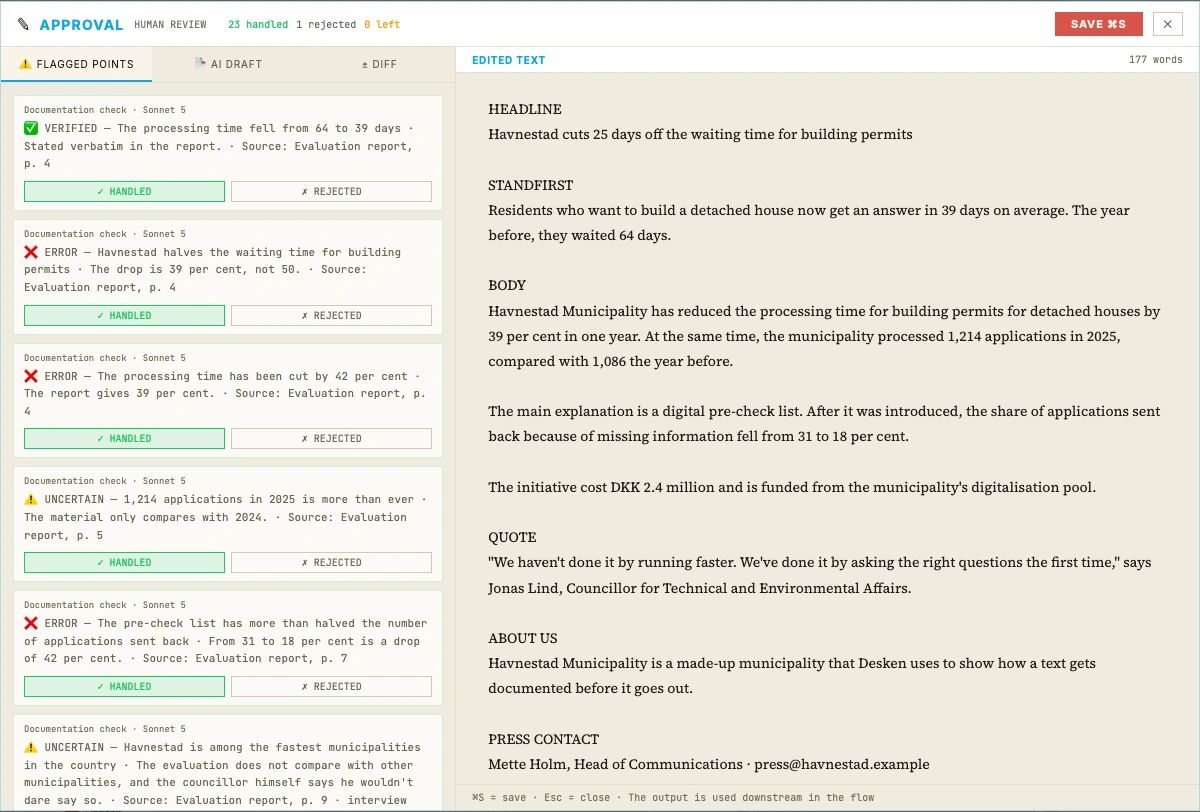
The sign-off is a built-in step in the professional workflow. If you export without one, you get a warning before the file is created.
The findings from every check are gathered, and each one is marked handled or rejected. Even when it's the model that's wrong.
The sign-off carries a name and a time. If the material changes afterwards, it's marked as out of date.
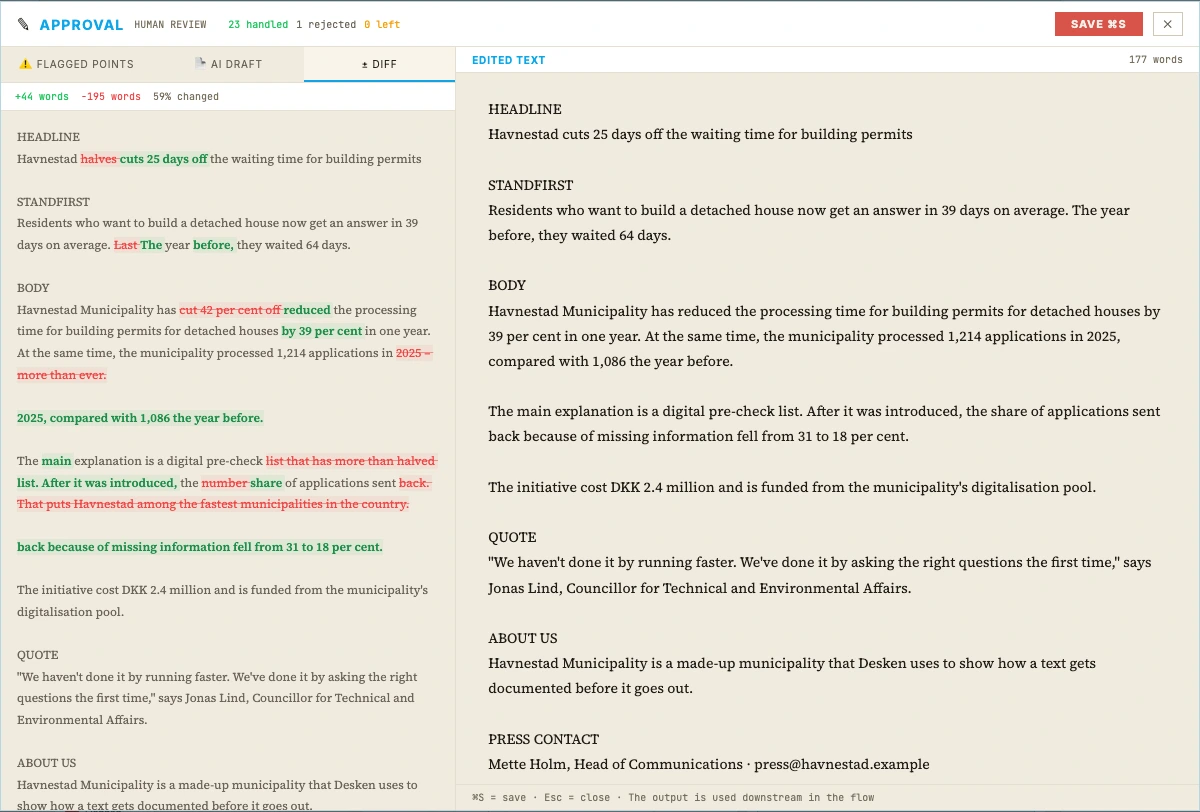
A diff shows the difference between the AI draft and the approved text – word by word.
05 – Deliver
The report isn't just for show.
The approved text is rendered straight to Word, PDF or Markdown. Alongside it, you can download a transparency report that serves as your documentation of how the text came about.
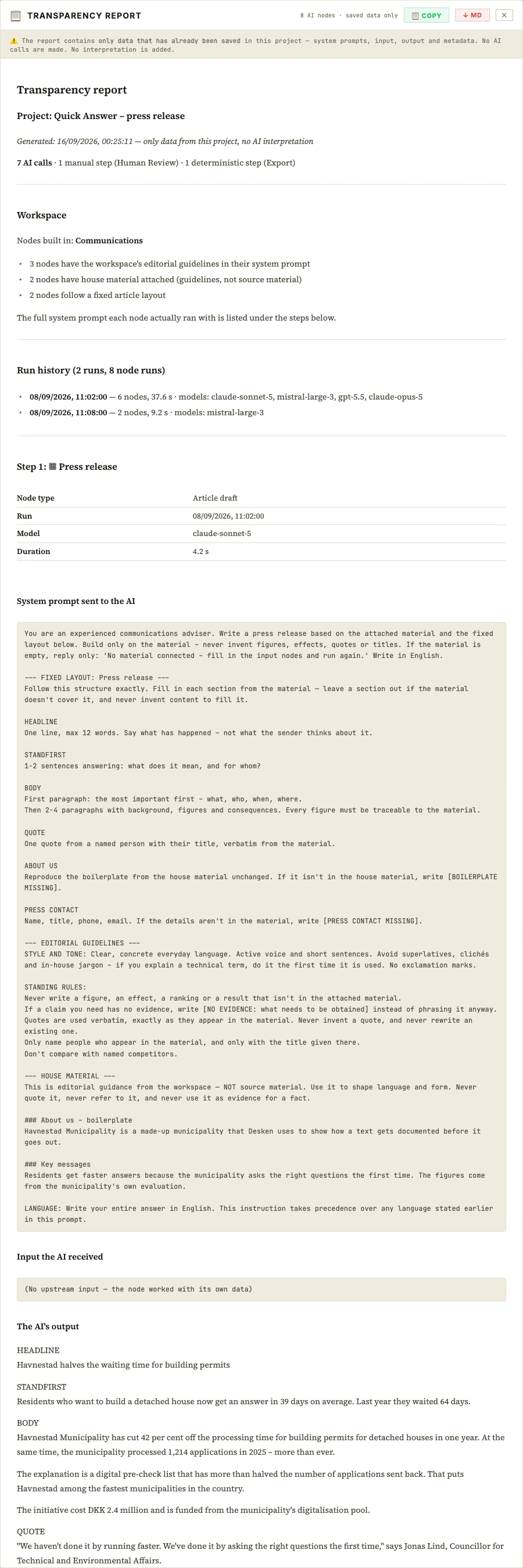
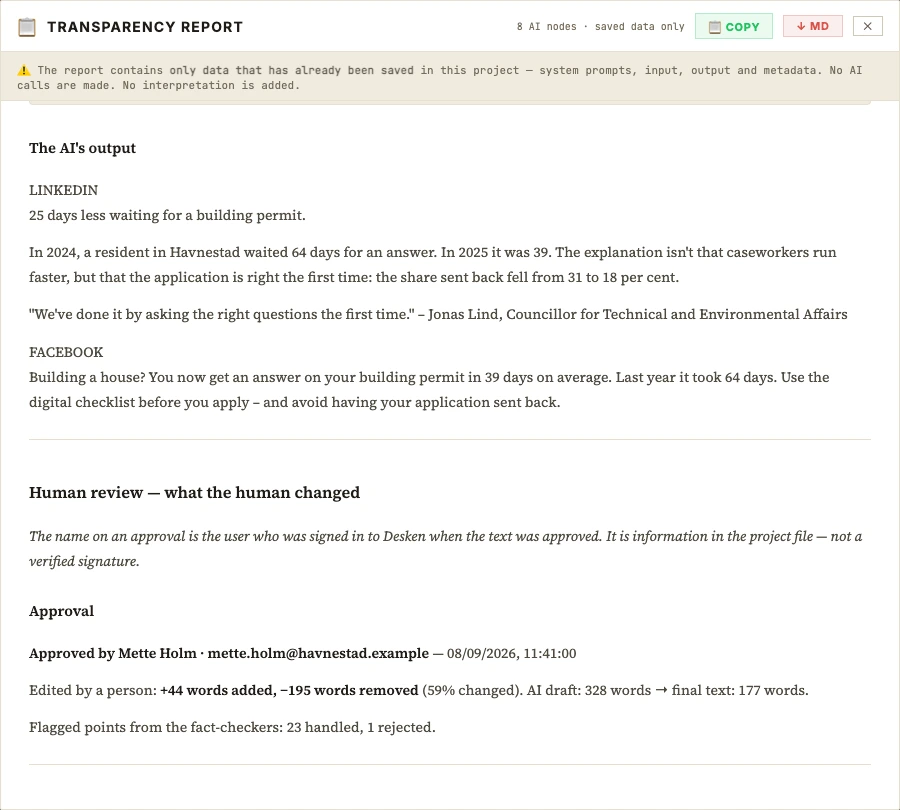
The approved text lands straight in the project's export folder – ready to send.
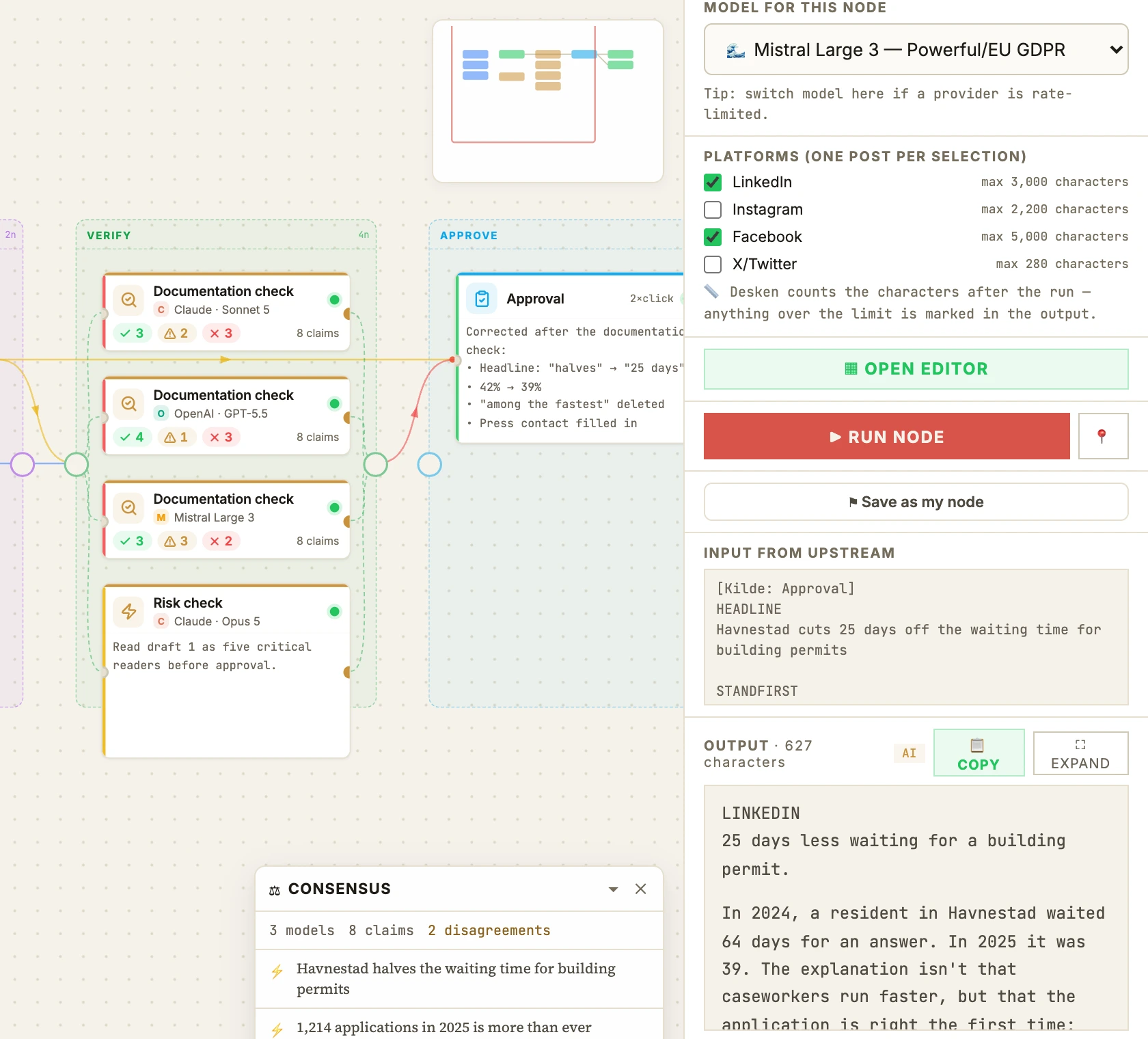
The approved text, adapted for LinkedIn, Facebook and X. You don't start from scratch for every channel.
Get the full overview of which models saw which material, with which instructions. The documentation is built automatically, as an integrated part of your work.
Sources, exports and the project file sit together on your own disk. Ready to archive, move and hand over.
Your data
We never see your texts.
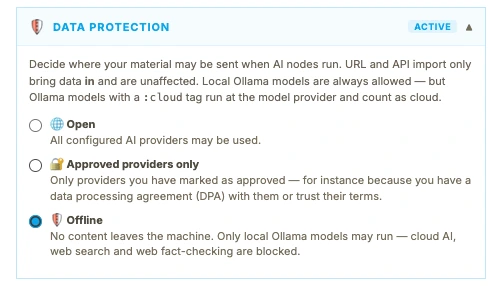
Desken runs locally on your own machine and connects directly to your own AI agreements. We have no access to your sources or texts – and you decide which providers get to see them.
All the providers you've set up with your own keys.
Only the providers you've ticked – for example the ones you have a data processing agreement with.
No content leaves the machine. Only local models run, and web search, external checks and transcription are switched off.
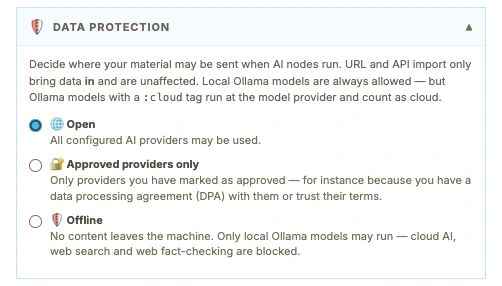
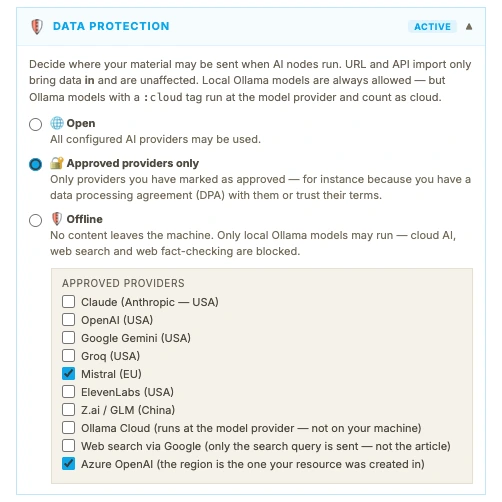
Works with 8 of 8 may be used
Use your organisation's own Azure OpenAI – so data processing is covered by the Microsoft agreement you already have.
API keys are encrypted with the computer's own keychain – Keychain on Mac – and stored only on your machine.
Desken calls the AI providers directly from your workstation. We register your name and email when you sign up, and your texts never pass through us. The rest is spelled out on the privacy page.
Press releases and texts for citizens, where every figure has to hold up against the organisation's own reports.
Where marketing has to be approved, and where you need to show who signed off on the text.
Customer stories and campaigns, where the client's figures and quotes have to hold up – even when the client is reading along.
Desken
Free in beta
No expiry date and no credit card.
Desken for teams
When sales open
The price for the final version is still being worked out. Invoice payment and Azure OpenAI as a provider are there from day one, and you'll get all the details well before the commercial launch.
Download the app, add your own API key and run a current text through the flow. It takes a few minutes to set up and gives you the full picture of how thorough the models and the pipeline are.
Desken is in closed beta, so the download needs an access code. Write to us if you'd like to join. The Windows version isn't ready yet.